
How to set up Nintendo Switch Sports Resort for two players on one console: controllers, TV versus tabletop, seating for motion, and playing online together.
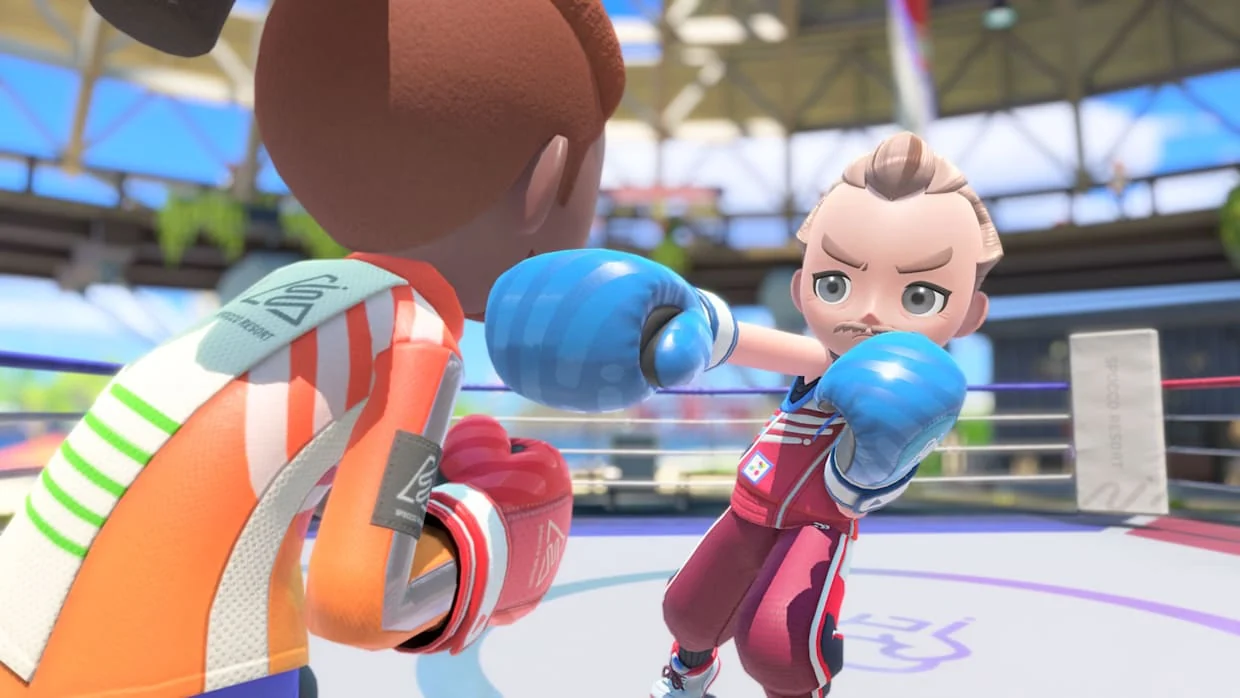
Nintendo Switch Sports Resort 2 Player: Local Setup on One Console
Two-player is the way most people will actually play Nintendo Switch Sports Resort, and the setup is simple once you know three things: how many controllers you need, which play mode to use, and how much room the sports expect.
Nintendo's own store listing gives the hard numbers: 1-4 players on a single system and 2-16 players online. Everything else on this page is about turning those numbers into a session that works.
Official source: Nintendo Switch Sports Resort on Nintendo's store for the player counts, play modes and the note that additional accessories may be required for multiplayer. Membership details are on Nintendo Switch Online, and controller pairing steps are documented in Nintendo Support.
Quick answer: For two players locally you need two Joy-Con 2 controllers, a TV or tabletop setup (handheld is not a listed play mode), and enough clear space to swing. Pair the second controller before launching the game, then pick the sport and set the player count in its lobby.
What you actually need
| Requirement | Detail |
|---|---|
| Console | Nintendo Switch 2 |
| Controllers | One Joy-Con 2 per player for motion sports |
| Play mode | TV mode or tabletop mode; both are listed, handheld is not |
| Space | Enough room to swing an arm without hitting furniture or a person |
| Online (optional) | Nintendo Switch Online membership, 2-16 players |
Nintendo's store page notes that additional accessories may be required for multiplayer and are sold separately. In practice that means a second Joy-Con 2 if your console only came with one pair shared between two people - and a pair each is the comfortable setup, because it leaves both players with a strap and a full grip.
If you are still working out which controller does what, the Joy-Con 2 controls page covers grip, strap and recalibration before you start.
Pairing the second controller
The order matters more than the steps. Pair controllers before you launch the game, from the console's HOME Menu:
- Open Controllers on the HOME Menu.
- Choose Change Grip/Order.
- Press any button on each Joy-Con 2 in turn; the console assigns them in the order you press.
- Confirm both show as connected, then launch the game.
Pairing inside the game works too, but it drops you back to a menu mid-session, which is exactly the moment a party loses interest. Do it first.
The console numbers controllers in the order they connect, and most sports use that order for player slots. Connecting player one's controller first saves you a confused minute at the player-select screen.
TV or tabletop?
Both are listed play modes, and the choice changes how the room works.
- TV mode is better for four players and for sports where everyone watches the same screen - it gives the group a shared view and a longer viewing distance for the motion.
- Tabletop mode is better for two players in a small room, and it is the mode that makes the console portable. Put the console on a stable surface at eye level rather than on your lap; the motion tracking is fine, but a tilting screen makes aiming harder.
What is not available is handheld play. Nintendo's listing names TV and tabletop only, which makes sense for a game built on swinging your arms.
How to add the second player in a sport
The general pattern is the same across the roster: choose the sport, then set the number of players in its lobby before the match starts.
- Look for a player count or participants option on the sport's setup screen.
- Set it to two, then confirm; the game asks each controller to identify itself.
- Depending on the sport, players may act at the same time or take turns; the lobby shows which before the match starts, so pick accordingly for mixed-skill groups.
Nintendo does not publish per-sport player counts on the store page, so check the lobby for the sport you want rather than assuming every event supports four. The 12-sport list is the fastest way to see the full roster, and the how to play page covers the basic loop.
Which sports work best with two
Two players is the sweet spot for the roster, for a structural reason: most events are one-on-one or two-on-two, so a pair either plays each other or plays together.
- Head-to-head sports are the natural fit for two: one controller each, same screen, direct comparison.
- Team sports work if the game allows two on the same side; check the lobby, because team events often want a full side.
- Turn-based events are the best choice when one player is much better than the other, since the weaker player gets the same number of attempts.
If you want a third and fourth player, the ceiling is four on one system - and that is where the TV setup earns its place.
Playing online with a friend
Online is the other way to play two-player, and it works differently: the store lists 2-16 players online, and online play requires a Nintendo Switch Online membership. Two players on the same console can play online together; two consoles playing together each need their own copy of the game and their own membership - family-group lending is supported, which is the cheapest route for a household with two consoles.
The online multiplayer guide covers matchmaking and the casual versus ranked split, and the Pro League page explains the competitive ladder.
When the second controller "does not work"
Four causes, in order of likelihood:
- It is paired but not assigned. Reopen Change Grip/Order and press a button on it.
- The battery is low. Joy-Con 2 charges from the console; a long session on one charge is the usual culprit.
- The sport only supports one player. Some events are solo by design; the lobby simply will not offer a second slot.
- You are in a mode that locks the roster. If the lobby has no player-count option, that mode is built around one player's save; use the sport's own lobby for local multiplayer instead.
None of those are bugs, and none require an update - a useful thing to know given the game's update status.
Related Guides
- Joy-Con 2 Controls - grip, straps and recalibration.
- Online Multiplayer - casual matches, friends and membership.
- How to Play - the basic loop for every sport.
- All 12 Sports - the full roster at a glance.
FAQ
How many players can play Nintendo Switch Sports Resort locally? One to four on a single system, per Nintendo's store listing.
Do I need two Joy-Con 2 controllers for two players? Yes for simultaneous sports - one per player. Additional accessories are sold separately, and Nintendo notes they may be required for multiplayer.
Can two people play on one Switch 2 online? Yes, if both are signed in with Nintendo Switch Online. Two consoles need two copies of the game; family-group lending is supported.
Does it work in handheld mode? Nintendo's listing names TV mode and tabletop mode only. Handheld is not a listed play mode.
Is there split-screen? Nintendo's store listing does not describe a split-screen mode; local play is presented as players sharing one screen per sport.
More Nintendo Switch Sports Resort Guides
Does Nintendo Switch Sports Resort support voice chat? How Switch 2 GameChat works with the sports, who can join, and what you need besides the game.
Golf in Nintendo Switch Sports Resort: how to pick a club, how wind and lie change your shot, and the putting routine that saves strokes.
A first-session walkthrough for Nintendo Switch Sports Resort: setup, the home screen, your first match, and the four systems that unlock everything else.
A practical buyer's guide to Nintendo Switch Sports Resort: the 12 sports, the open-world island, the reviews, the limitations, and who should skip it.
How the Island Legends unlock in Nintendo Switch Sports Resort: what to clear first, which sports have one, and how to beat each ladder.
Nintendo Switch Sports Resort sits at 79 on Metacritic from 62 reviews, with an 8.6 user score. What critics agree on and how it compares to Wii Sports Resort.
Badminton, chambara, football and more did not make the roster. Every absent event, what replaced it, and which older game still has it.
Nintendo Switch Sports Resort launched October 22, 2026 for $49.99 on Switch 2. The confirmed date, file size, players, languages and what the store lists.