Controls Guide: Joy-Con 2, Mouse Mode and Pro Controller
How Nintendo Switch Sports Resort uses Joy-Con 2 motion and mouse controls, which sports support a Pro Controller, and the settings worth changing first.
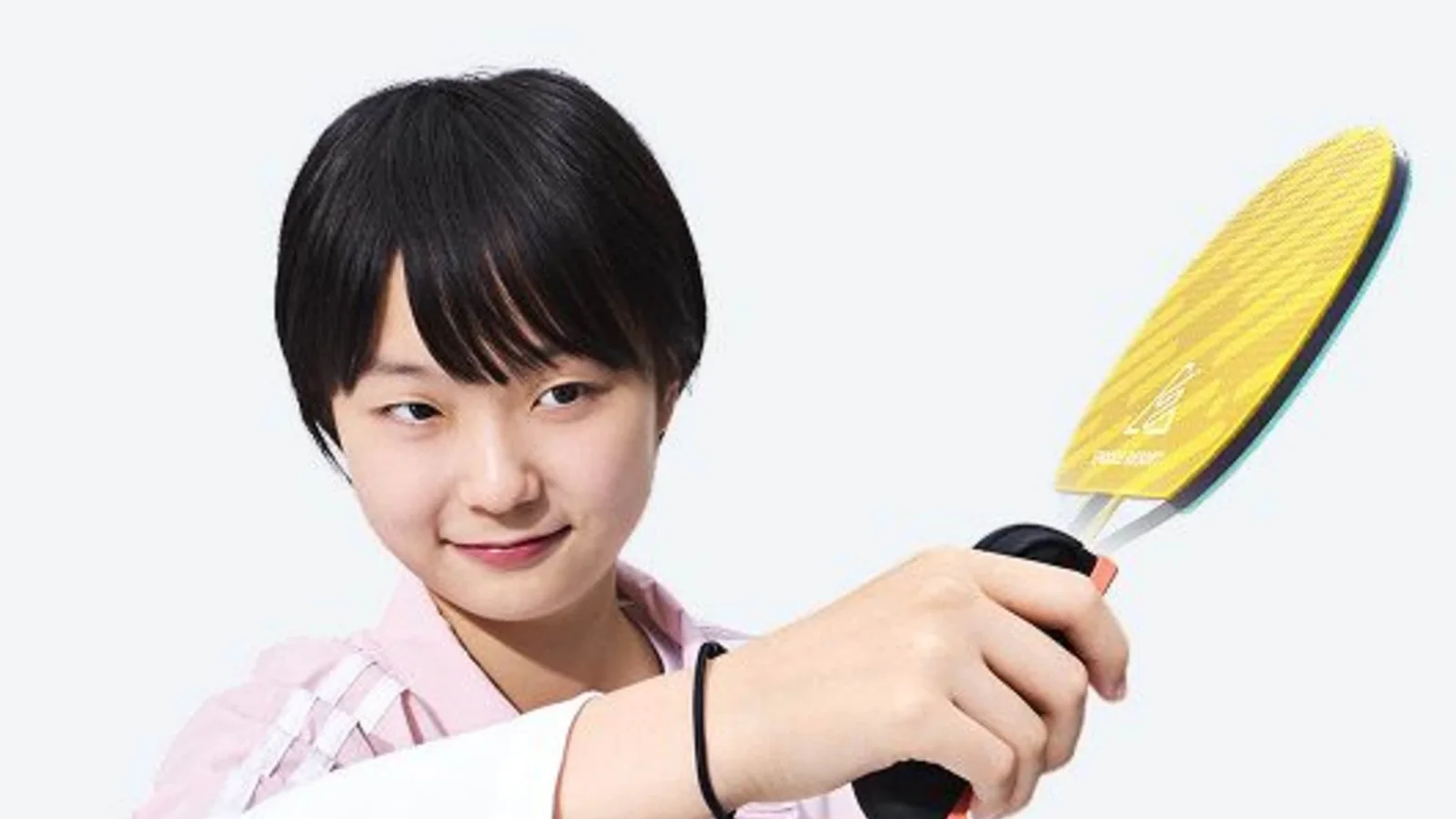
Every sport in Nintendo Switch Sports Resort is built around motion first. What is new this time is a second input layer: Joy-Con 2's mouse mode, which the game uses for the aiming-heavy sports and for menu work. Understanding which layer a sport expects is most of the battle with the controls.
The motion layer
Motion is the default for all twelve sports. You swing, you throw, you punch, you putt. The game reads the full arc of the controller rather than a single moment, which is why a slow, complete swing beats a fast, truncated one every time.
Three habits make motion inputs reliable:
- Finish the motion. A swing that stops at the point of contact reads as a weaker, less accurate input.
- Stay in frame. The cameras need to see the controller through the whole arc. Standing closer to the TV does not help if your backswing leaves the frame.
- Reset between inputs. Holding the controller in a ready pose between points keeps the tracking baseline stable.
The mouse layer
Joy-Con 2 can be used as a mouse, and the game applies that to the sports where precision aiming beats body movement: archery aiming, golf shot placement and menu navigation are the clear beneficiaries. The mode is optional rather than forced, which is a relief if you play on a couch.
Mouse mode is also the fastest way to operate the Item Center and the achievement checklists, simply because pointing at a card beats scrolling to it.
Which sports use which
| Sport | Primary input | Mouse mode useful |
|---|---|---|
| Tennis | Motion swing | No |
| Bowling | Motion throw | Yes, for spin placement |
| Archery | Motion draw and aim | Yes, for fine aim |
| Boxing | Motion punches | No |
| Volleyball | Motion serve, spike, block | No |
| Table Tennis | Motion swing | No |
| Basketball | Motion shot | No |
| Golf | Motion swing | Yes, for aim and power |
| Thumb Wrestling | Motion press | No |
| Prop Plane | Motion tilt plus stick | Weakly |
| Skateboarding | Motion tilt plus stick | Weakly |
| Power Cruising | Motion tilt plus stick | Weakly |
The leisure sports are hybrid by nature: you tilt the controller to steer and use the stick for camera and throttle. That combination is the reason they feel different from everything else in the package.
Pro Controller support
The Pro Controller works for menu navigation and for the sports that accept button input as a fallback, but it is not a substitute for motion in the competitive events. The game's sports are balanced around swing amplitude and timing, and a stick cannot reproduce either. Use the Pro Controller when you are managing your inventory, editing an appearance, or reading the island map, then pick the Joy-Con 2 back up to play.
Settings worth changing before your first match
- Difficulty. Every competitive sport has a difficulty setting. Start one step below where you think you belong; the game's top difficulty assumes precise swings and punishes sloppy timing.
- Left-handed mode. Available per sport where the motion is asymmetric. Set it once and it sticks.
- Motion sensitivity. If your swings register weakly, this is the setting to adjust, not your stance.
- GameChat. If you want voice and video, you need Nintendo Switch Online plus a compatible USB camera. Video chat is optional; audio works without one.
Calibration and drift
If shots start pulling in one direction, recalibrate rather than fighting it. Place the controllers flat, run the calibration from the system menu, and re-enter the sport. Persistent drift in one sport but not others usually means the controller is being held at an angle between inputs, not that the sensor is failing.
Jump Rope is the quickest calibration check in the game: it is a pure timing exercise, so if you are missing beats, your controllers are not tracking cleanly.
When the controls click
The moment the controls stop feeling like a barrier is the moment you stop aiming and start following through. Tennis, table tennis and golf all reward the same thing: a complete swing in the direction you want the ball to travel. Boxing and volleyball reward the opposite instinct, which is a short, sharp motion at the right moment.
For the sports where this distinction matters most, see the tennis guide, the golf guide and the boxing guide.
FAQ
Do I need Joy-Con 2 to play?
Yes. The game is built around Joy-Con 2 motion and mouse input, and it runs on Switch 2 only.
Can I use a Pro Controller for the sports?
Only as a fallback. The competitive sports expect motion input.
Is there a left-handed option?
Yes, per sport, wherever the motion is asymmetric.
Why does my swing not register?
Most often the backswing leaves the camera frame, or the motion stops at contact instead of following through.
More Nintendo Switch Sports Resort Guides
A first-session walkthrough for Nintendo Switch Sports Resort: setup, the home screen, your first match, and the four systems that unlock everything else.
A practical buyer's guide to Nintendo Switch Sports Resort: the 12 sports, the open-world island, the reviews, the limitations, and who should skip it.
Badminton, chambara, football and more did not make the roster. Every absent event, what replaced it, and which older game still has it.
How online works in Nintendo Switch Sports Resort: friend lobbies for up to eight, casual online across nine sports, and what GameChat requires.
Power Cruising in Nintendo Switch Sports Resort: how the jet ski handles, where the water collectibles are, and how four-player local play works.
The Prop Plane in Nintendo Switch Sports Resort: how flight controls work, how to fly the island efficiently, and how to spot Spocco Photos from the air.
Skateboarding in Nintendo Switch Sports Resort: how tricks and balance work, the land routes worth learning, and how to collect without wiping out.
Nintendo Switch Sports Resort is a Switch 2 exclusive. What that means for original Switch owners, why the game cannot be ported as-is, and what to do instead.